

Multiple Banks. One Dashboard.
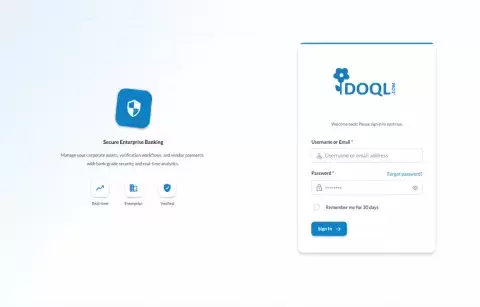
As a verification vendor, you work with multiple banks and need one place to see all assignments, update branches, and keep documents current. VerifyX AI gives you a dedicated vendor experience: complete onboarding in a few steps, manage all branches and contacts, and handle Technical, Legal, CPV, and CPD reports from a single dashboard—without logging into separate bank portals.
Vendor Capabilities Solutions for Every
Simple vendor onboarding
Multi-step onboarding with manual or guided flow: capture company details, GST and PAN, primary address, and contact information in one place. Add branches with addresses and contact persons, then upload your agreement and rate manual. The process is designed so you can go live quickly and keep your profile up to date whenever details change.
Multi-branch management
Add and manage multiple branches with full addresses, branch codes, and dedicated contact persons. Update city, state, pincode, and primary contacts per branch so banks can assign work to the right location.
Case & report assignments
Receive Technical, Legal, CPV, and CPD report assignments from banks directly in your dashboard. Open each case to view applicant details, collateral information, and attached documents.
Document management
Upload and maintain your agreement documents and rate manuals in a secure, central repository. Banks can access the latest versions when needed, and you can replace or update files anytime. Clear document types and versioning help avoid mix-ups and keep partnerships running smoothly.
Role-based access
Your team gets access tailored to their role. Vendor-level users see assignments and cases relevant to your organization; you can extend access for field executives or branch coordinators with the right permissions.
Real-time task visibility
See all assigned reports, their status, and deadlines in one view. Filter by service type and status so you can prioritize work and stay on top of SLAs.
Single dashboard for all banks
One login, one dashboard—for every bank you work with. All assignments and cases from all banking partners appear in a unified view.
Audit-ready activity trail
Every action your team takes is logged. Activity logs and access logs give you a clear trail of who did what and when—useful for internal reviews, bank audits, or compliance checks.
Complete Visibility. Centralized Control.
A unified view of operations — from real-time case activity to workforce insights and compliance.
Daily Performance Snapshot
Key metrics for the day — immediate insight into activity and progress.
Visual Analytics
Interactive charts to track trends across vendors, roles, and case types.
SLA Risk Monitoring
Identify cases approaching breaches or returned for rework.
Growth & Volume Insights
Monthly acquisition and case creation trends for capacity planning.
Workforce Visibility
Active personnel and workload distribution across teams.
Case Status Overview
Clear breakdown of cases by status with quick-access drill-downs.
From Insight to Execution
Shortcuts that let teams start common tasks immediately — no navigation required.
- New Customer
- Add Vendor
- Service Request
- Bulk Upload
Complete Case Lifecycle
From service requests to approvals — manage the full lifecycle.
- Creating new service requests
- Viewing and updating case details
- Assigning to drafters, approvers, or vendors
- Approving or rejecting submissions
- Monitoring case progress and status
Designed for Total Operational Control
Reports, compliance, and user management — all governed by configurable permissions.
Reporting & Insights
- Generate reports for operational analysis
- E-sign reports for finalization
Compliance Tools
- Consent Management
- DPDPA Compliance
- Access & Activity Logs
- Data Policy Monitoring
User Management
- Create, update, or remove users
- Define roles & permissions
- Configure access levels
Work Smarter in the Field
Complete on-site visits faster, capture accurate data, and stay connected with headquarters in real time — eliminating paperwork and reducing turnaround.
- Manage Visits
- Capture Data
- Live Updates
Location & Visit Tracking
GPS-based tracking for transparency and confirmed visit completion.
- GPS-enabled visit confirmation
- Location tagging for field activities
- Timestamped updates for each visit
Offline Support
Continue working without interruption in areas with limited connectivity.
- Capture data without internet
- Auto-sync when reconnected
A Connected Operations Ecosystem
The Dashboard and Mobile App create a fully connected workflow between office and field teams — from case creation to verification and final reporting.